Your own webmail,
on your own hosting.
A modern inbox for your GhostParse addresses. Upload it to any PHP host, follow a five-step installer, and read and send your email from a browser, phone or computer. Everything is stored encrypted in your own MySQL database.
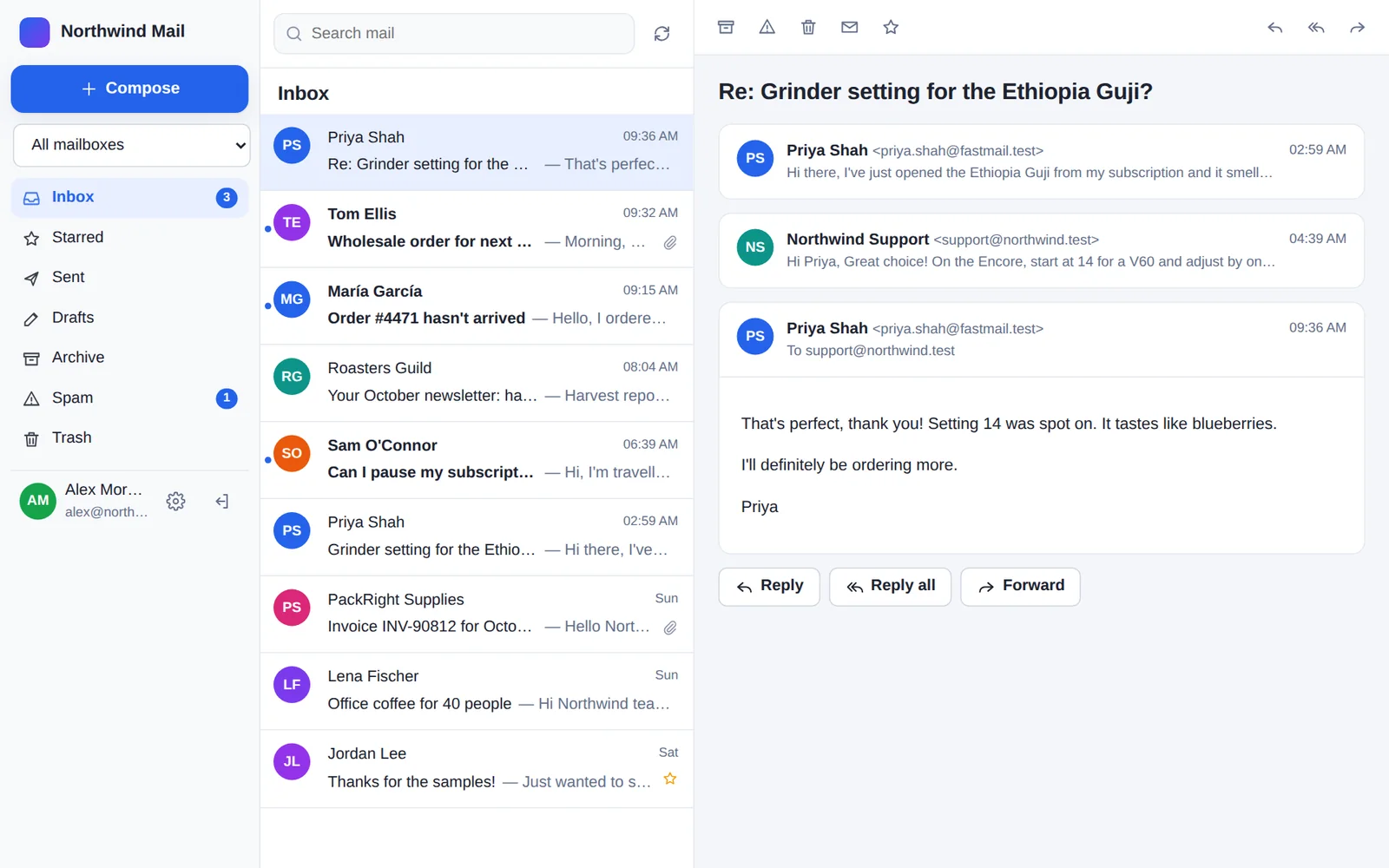
Everything a mailbox needs. Nothing to look after.
No Composer, no command line, no cron jobs. If your host runs WordPress, it runs this.
A proper inbox
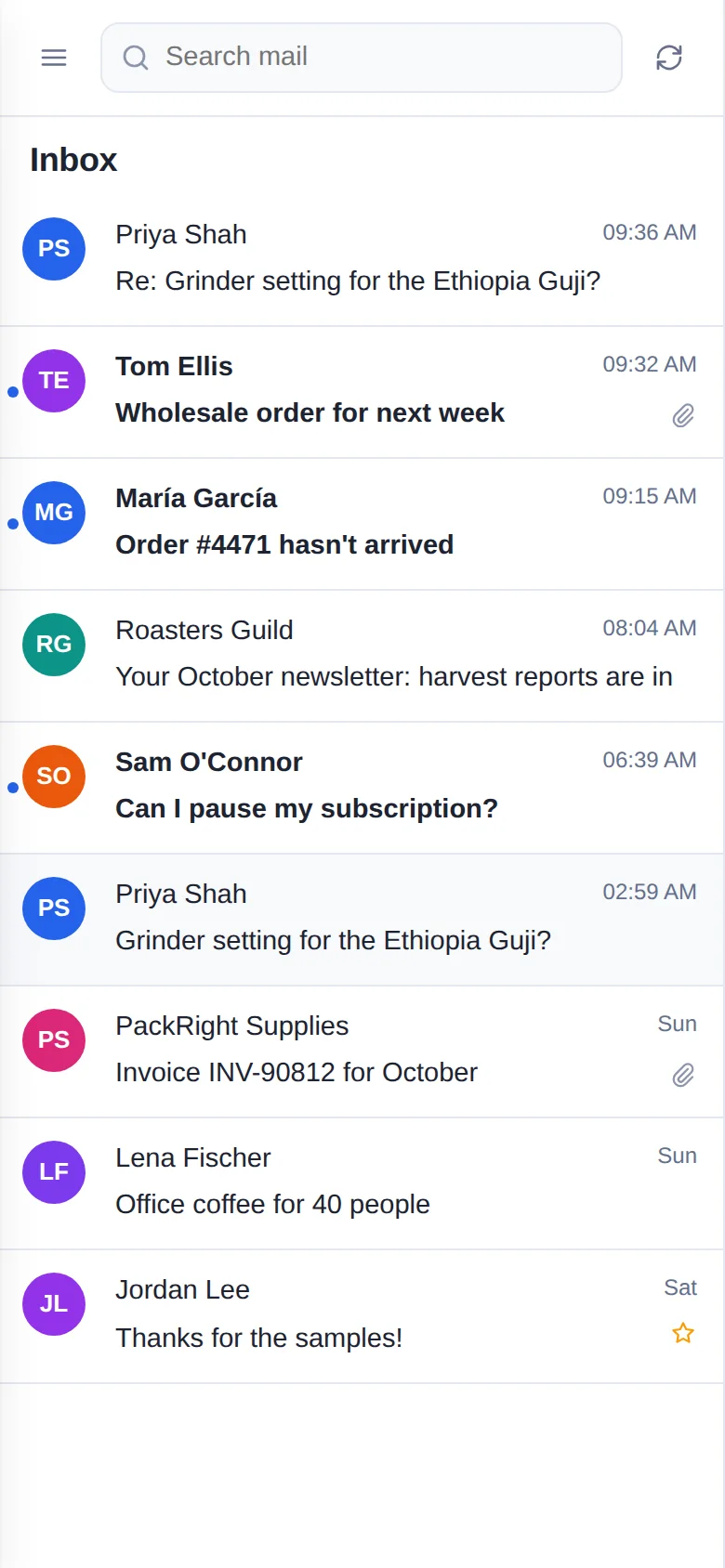
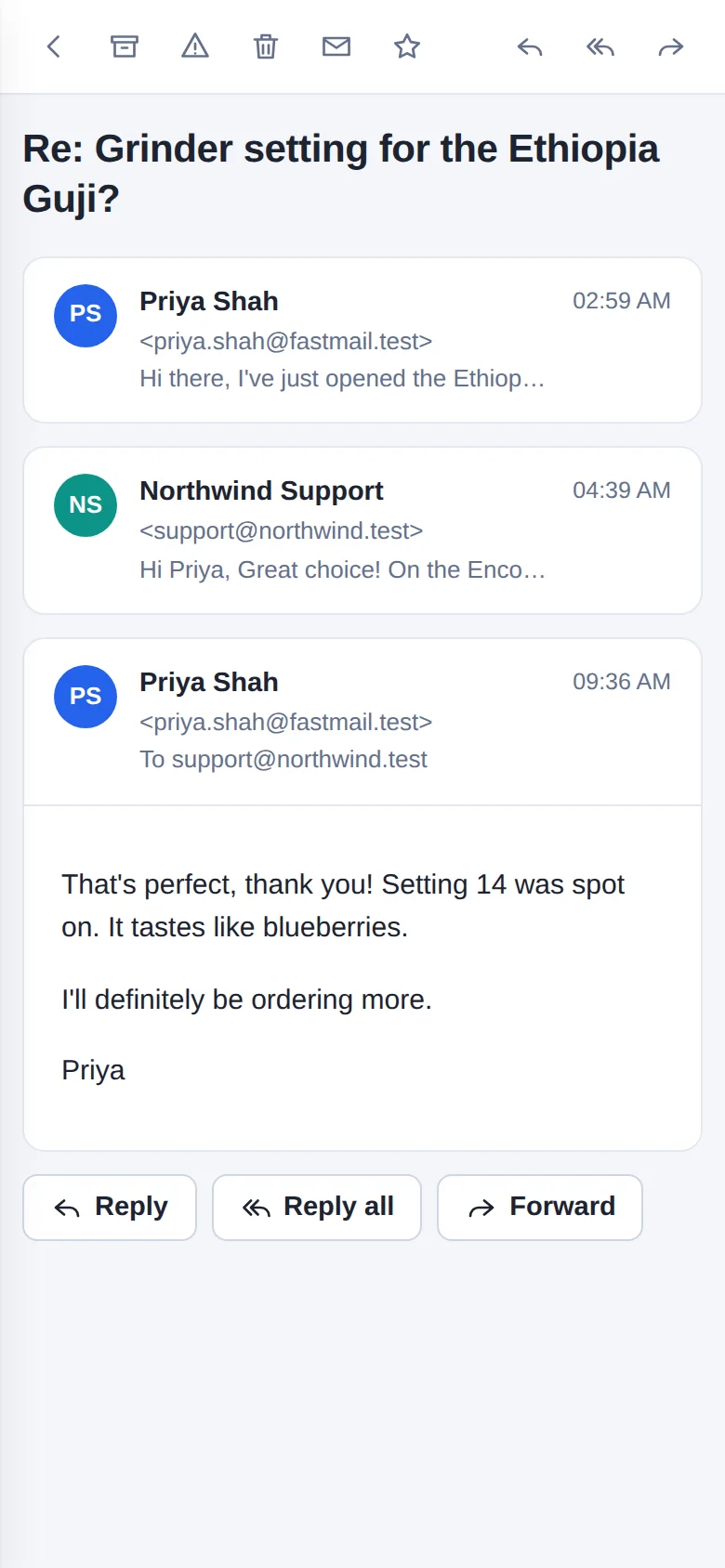
Folders, conversations, search, stars, archive, spam and trash. Write in rich text with attachments, Cc and Bcc, address suggestions and a signature for each mailbox.
Encrypted in your database
Messages, attachments, names and addresses are encrypted with XChaCha20-Poly1305 before they reach MySQL. Search works on encrypted indexes. A copy of the database is unreadable without your key.
An app on every device
Install it to the home screen on iPhone and Android, or as an app on Mac and Windows. It opens offline with the mail you've already read.
Face ID and fingerprint sign-in
Add a passkey and sign in with Face ID, Touch ID, Windows Hello or your fingerprint. Your face or fingerprint never leaves your device.
New-mail notifications
Get a notification when email arrives, even with the webmail closed. Notifications are encrypted end to end with standard Web Push.
For the whole team
Add people and give each of them the mailboxes they need. Shared mailboxes such as support@ can belong to several people.
Safe to open
Every email is shown in a sandbox where its scripts can't run. Remote images wait until you click Show images, so senders can't track when you open a message. Senders that fail SPF, DKIM and DMARC are flagged.
Delivered by GhostParse
Incoming email arrives through your signed webhook. Outgoing email goes through the GhostParse API from your verified domain, with replies kept in the same thread.
Set up in five minutes
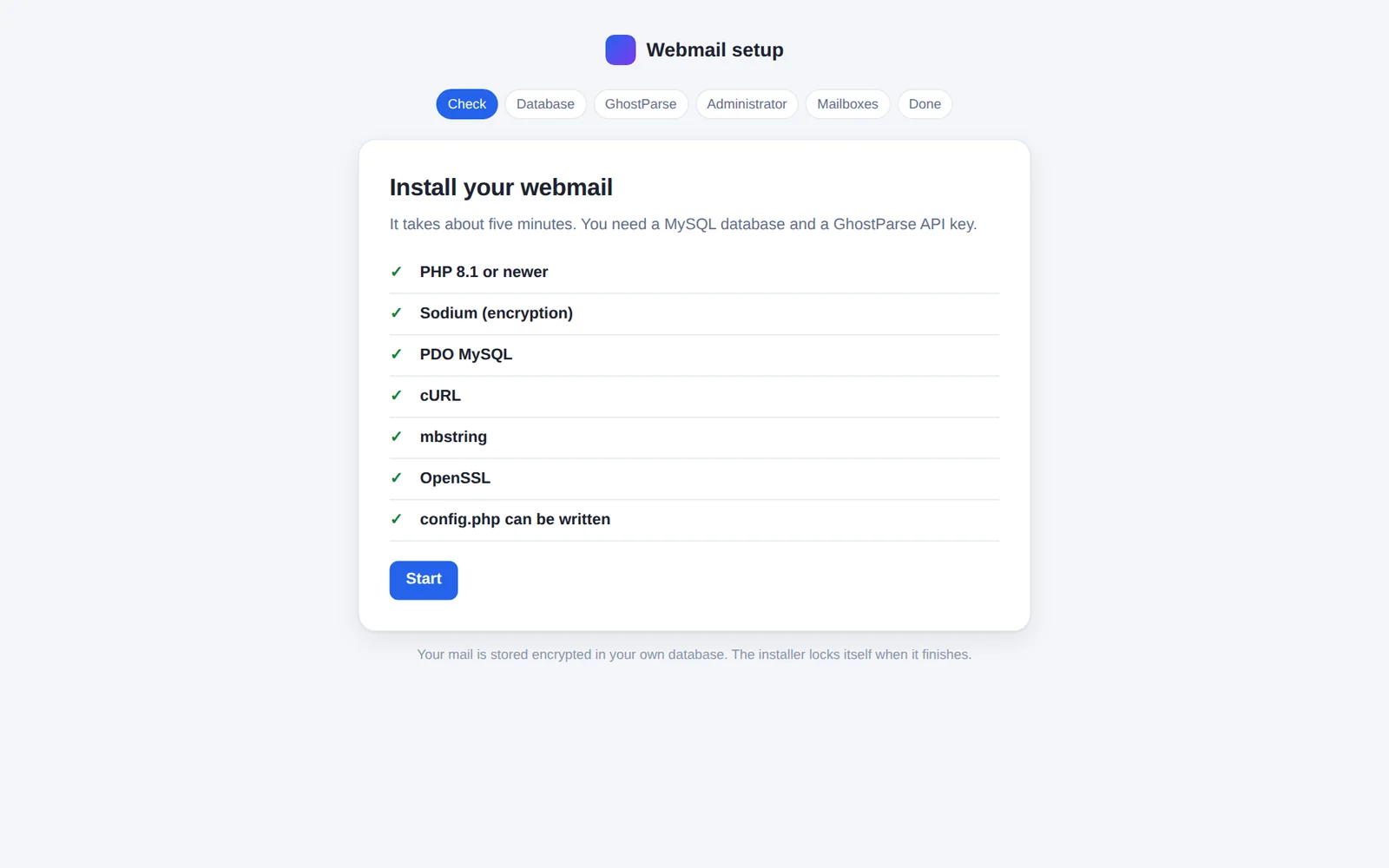
The installer checks your hosting, creates the tables and connects your addresses. It points each address's webhook at your webmail for you, then locks itself.
See it before you install it.
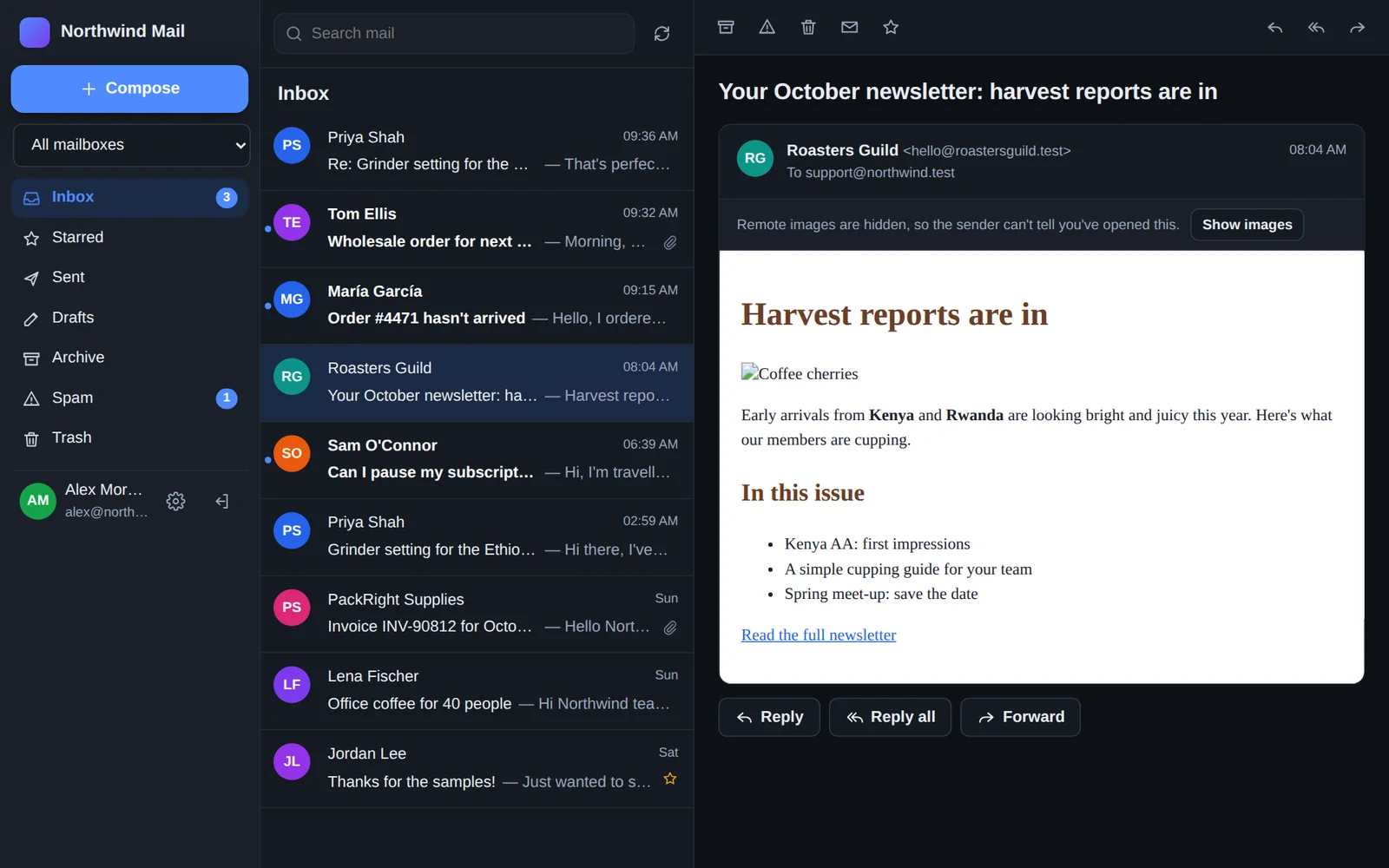
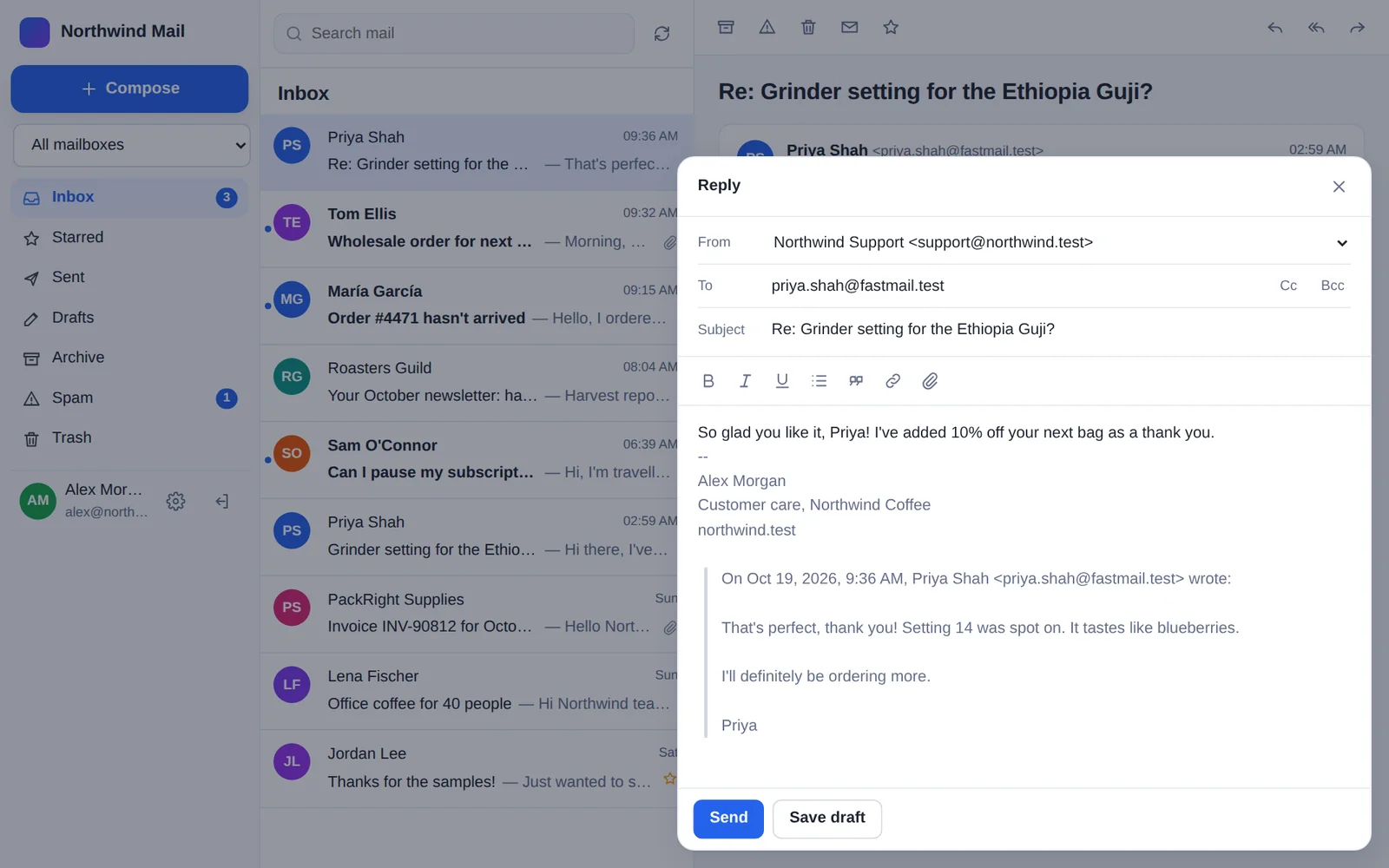
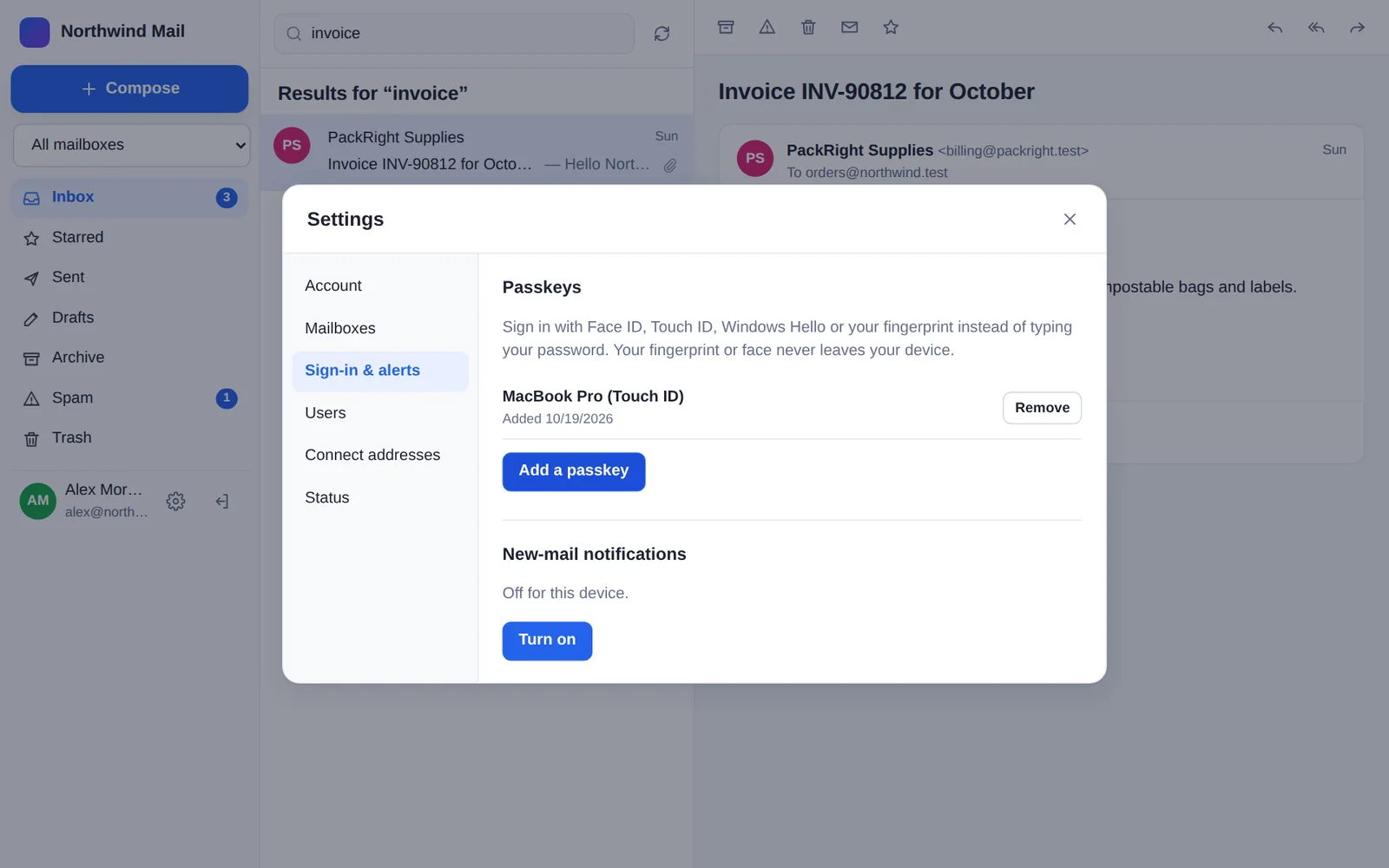
Made for your phone too
On a phone, the webmail shows one screen at a time, with buttons sized for your thumb. Add it to your home screen, and it opens like an app, with notifications and Face ID or fingerprint sign-in.
Up and running in five minutes.
Before you start
- Hosting with PHP 8.1 or newer and MySQL 5.7+ or MariaDB 10.3+. The installer checks for the PHP extensions it needs (
sodium,pdo_mysql,curl,mbstring,openssl). Most hosts have them all. - An https:// address for the webmail, such as
https://example.com/mailorhttps://mail.example.com. GhostParse only delivers to secure addresses, and passkeys and notifications need one. Most hosts include a free certificate. - A GhostParse account with a verified domain and at least one email address on it. Create a free account.
1. Upload the files
- Download the zip and unzip it. You get a folder called
webmail. - Upload the folder to your hosting with your control panel's File Manager or FTP, for example into
public_html. Rename it if you like:public_html/mailmakes the webmail's addresshttps://example.com/mail.
2. Create a database
In your hosting control panel (cPanel, Plesk, DirectAdmin and so on), open MySQL Databases. Create an empty database and a user, give the user all privileges on that database, and note the names and the password.
3. Get your GhostParse details
- In the dashboard, open API keys and create a key with the send and domains permissions. Copy it: it's shown once.
- Open Inbound webhook and copy the signing secret. It starts with
whsec_.
4. Run the installer
Open your webmail's address in a browser. The installer starts by itself:
- Check: it confirms your hosting has what's needed.
- Database: enter the database name, user and password from step 2. The host is usually
localhost. - GhostParse: paste the API key and signing secret from step 3.
- Administrator: create your own sign-in, and choose the webmail's name.
- Mailboxes: tick the addresses to use. Each one is switched on for sending and receiving, and its webhook is pointed at your webmail for you.
When it finishes, the installer locks itself and you can sign in. Back up config.php, in the webmail's folder, somewhere safe. It holds your encryption key, and without it your stored email can't be read.
5. On your phone and computer
- Install the app: on iPhone or iPad, open the webmail in Safari, tap Share, then Add to Home Screen. On Android, use Chrome's Add to Home screen. On a computer, choose Install in Chrome's or Edge's address bar.
- Passkeys: go to Settings → Sign-in & alerts → Add a passkey, then choose Use a passkey next time you sign in.
- Notifications: on each device, go to Settings → Sign-in & alerts → Turn on. On iPhone and iPad, do this in the Home Screen app (iOS 16.4 or newer).
- More people and mailboxes: under Settings → Users and Settings → Connect addresses.
Using nginx?
Apache and LiteSpeed hosts use the included .htaccess files. On nginx, add these rules, with /mail as your folder, so the app's private files can't be downloaded:
location ~ ^/mail/(app|storage|tests|vendor)/ { deny all; }
location ~ ^/mail/(config\.php|config\.php\.tmp|\.user\.ini|composer\.(json|lock)|phpunit\.xml|README\.md|build\.sh)$ { deny all; }
location = /mail/sw.js { add_header Cache-Control "no-cache"; }
client_max_body_size 48m;
Updating
Download the new version and upload its files over the old ones. Keep your config.php. Database changes are applied by themselves the next time the webmail is opened.
Check your download
The SHA-256 checksum of webmail-1.0.1.zip is:
f1b31ec434b4346ed45c2a67ba5f8e7ac4da84910dca6d66c8b1db6a24d6159b
To check it, run shasum -a 256 webmail-1.0.1.zip on a Mac or Linux, or certutil -hashfile webmail-1.0.1.zip SHA256 on Windows.
Before you download.
Is the webmail free?
Yes. The webmail is a free download. It uses your GhostParse account to send and receive, so the emails count towards your plan like any others. Pricing.
Where is my email stored?
In your own MySQL database, on your hosting, encrypted. GhostParse delivers each email to your webmail and doesn't keep a copy. How we handle data.
What happens if I lose config.php?
The stored email can't be decrypted without the key in config.php, by you or anyone else. Keep a backup somewhere safe, such as a password manager.
No email is arriving. What should I check?
Open Settings → Status in the webmail. Then, in GhostParse, look at the address's webhook deliveries. A 400 invalid_signature means the signing secret in config.php doesn't match the one in your dashboard.
Large attachments fail to send or arrive.
Your host's PHP upload limits are too low. The webmail asks for 48 MB in its .user.ini and .htaccess, but some hosts ignore these. Ask your host to raise post_max_size, upload_max_filesize and memory_limit.
Can I use it with several domains?
Yes. Any address on any verified domain in your GhostParse account can be connected as a mailbox, and one person can use several mailboxes.