Modern email for every
cPanel account you host.
Install the free plugin once on your server. Your customers then find GhostParse in their cPanel's Email section. They turn it on, add their domains and install their own webmail in a few clicks. Each gets their own account under your reseller account, with your brand on the dashboard and the invitations.
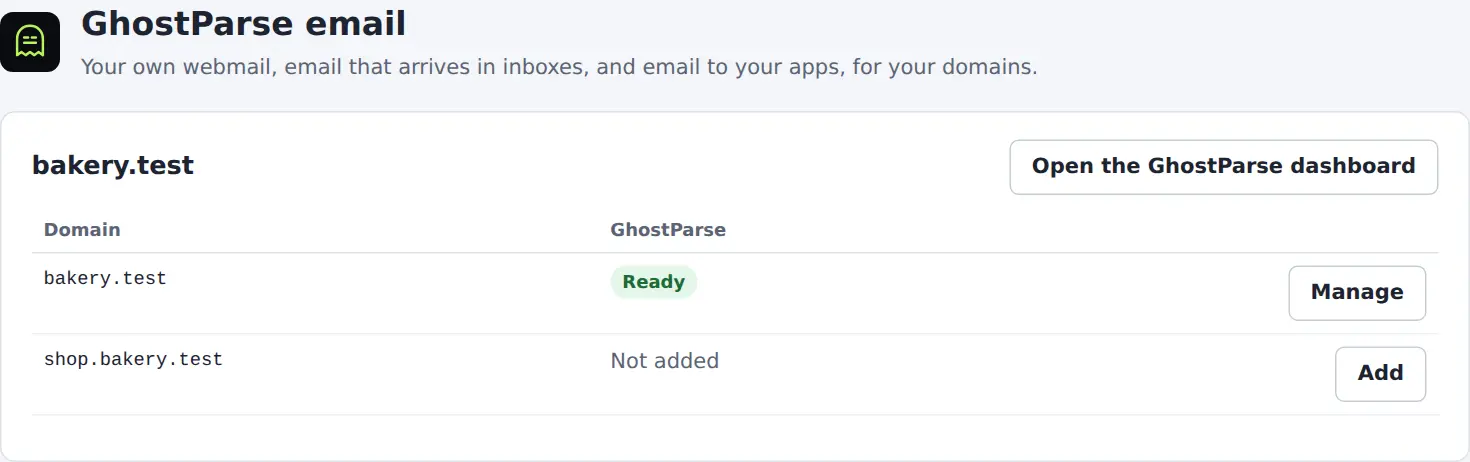
Their domains, set up properly, without a support ticket.
One click to turn it on
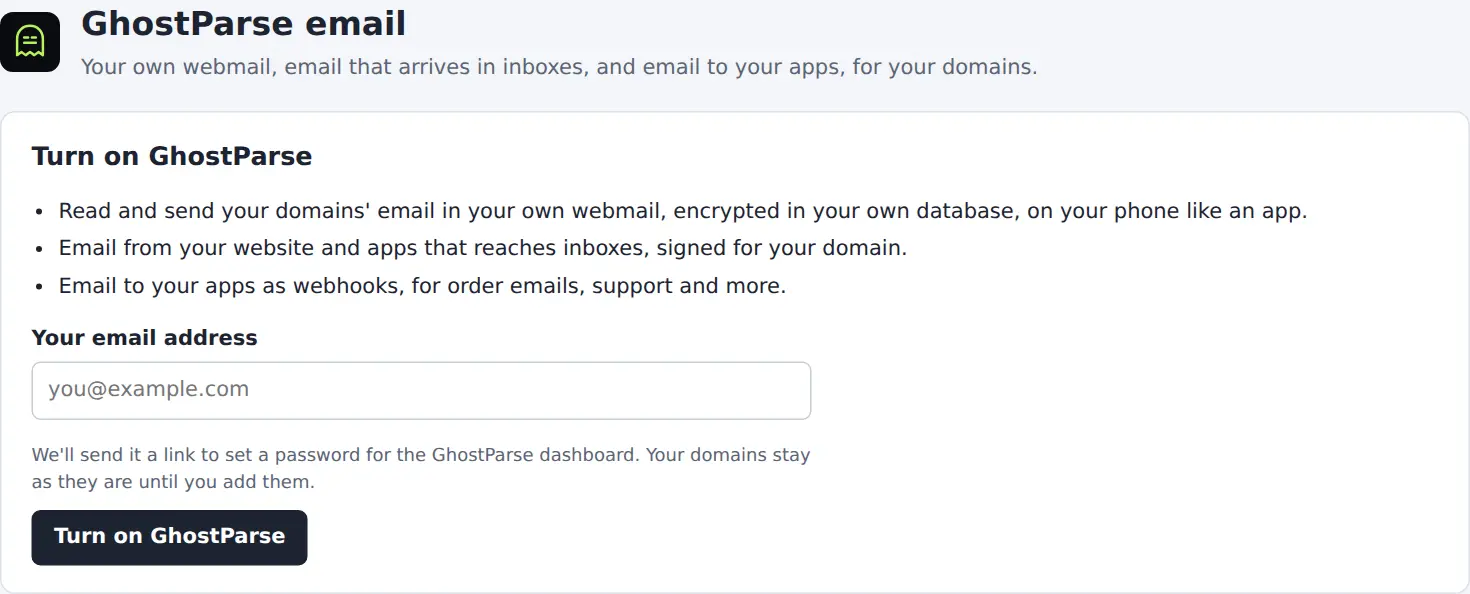
The customer enters their email address. They get their own GhostParse account under yours, and an invitation to its dashboard, carrying your brand if you've set one up.
DNS records written for them
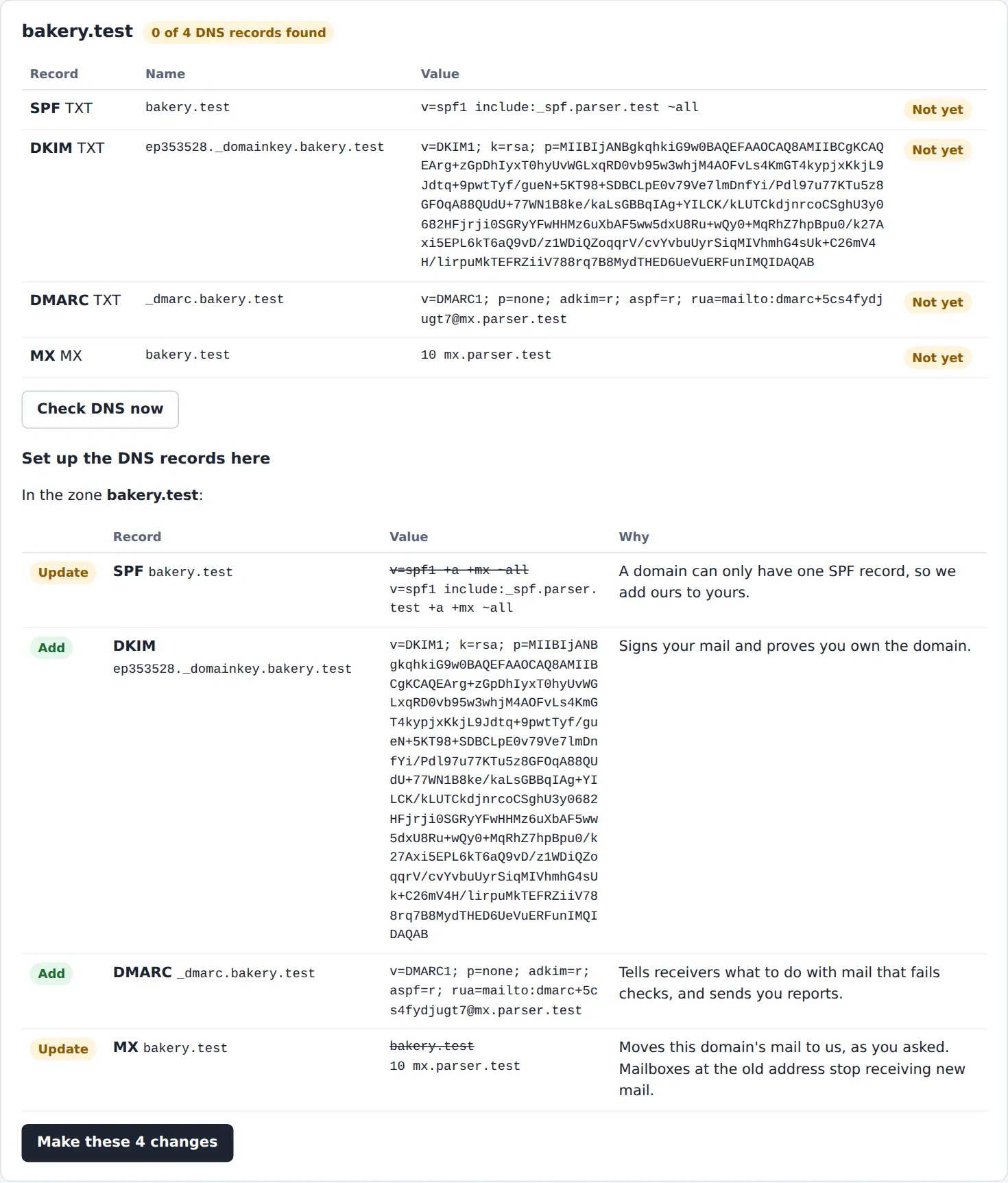
SPF, DKIM, DMARC and MX go straight into the domain's zone on your server. Their existing SPF and DMARC records are merged, never duplicated. Mail servers are only replaced if they tick the box.
Their own webmail
The plugin creates the MySQL database and copies the webmail into a folder of their website. They finish with a one-time link. Their email is encrypted in their own database, with two-step sign-in for everyone.
Mailboxes that reach the inbox
Every address can send and receive, signed for the customer's domain. Their website's and apps' email lands in inboxes, not spam.
Email to their apps
The same account turns email into signed webhooks, order emails into data, and support email into a shared inbox. It's all in the dashboard.
Under your control
Turn it on per package in WHM's Feature Manager. Every customer is a sub-account you can see, suspend or remove with the reseller API.
Every change shown before it's made.
Ten minutes on your server.
Before you start
- A cPanel & WHM server with the Jupiter theme, and root access.
- A GhostParse account with reseller features turned on. Email us to turn them on.
- An API key from the dashboard under API keys, with the accounts and domains permissions.
1. Install the plugin
curl -LO https://ghostparse.com/downloads/ghostparse-cpanel-1.0.2.tar.gz
tar -xzf ghostparse-cpanel-1.0.2.tar.gz
cd ghostparse-cpanel-1.0.2
sh install.sh
2. Connect it to your account
ghostparse-cpanel config --api-url https://ghostparse.com --api-key ek_live_...
It checks the key before saving it, in a file only root can read. If your customers use your white-labelled dashboard, add --dashboard-url https://mail.yourhost.com/app.
3. Turn it on for your packages
In WHM → Feature Manager, edit a feature list and tick GhostParse email. Customers on those packages see GhostParse in cPanel's Email section.
Updating and removing
To update, run sh install.sh from the new version. Settings and customers' accounts are kept. sh uninstall.sh removes the plugin and leaves customers' accounts, DNS records and webmail as they are. Add --purge to delete the settings too.
How it keeps your reseller key safe
The page in cPanel runs as the customer and never sees your key. It asks a cPanel admin binary, which runs as root and is told by cPanel which user is asking. That binary checks every domain against the customer's own domains, and only ever reaches that customer's sub-account. The webmail gets a key that belongs to the customer's sub-account, not yours. DNS changes, the database and the webmail's files are made through cPanel's own API as the customer, so their quotas apply as usual.
Check your download
The SHA-256 checksum of ghostparse-cpanel-1.0.2.tar.gz is:
72a73f23f42f8d5d1323535ddde9cd4dc05f23e973910678c643e0fb4efc7a16
Before you install.
What does it cost?
The plugin is free. Your customers' accounts are sub-accounts of yours, and their email counts towards your plan. You decide what to charge them. Pricing.
Does it change customers' existing email?
Not unless they ask. Adding a domain adds the sending records and merges them with existing SPF and DMARC records. A domain's mail servers (MX) only move to GhostParse when the customer ticks Move this domain's email to GhostParse, and the page warns them that mailboxes made under Email Accounts stop getting new mail.
What if a domain's DNS isn't on my server?
The page says so. The customer adds the records where the DNS is hosted, such as their registrar or Cloudflare. The GhostParse dashboard shows them the records and can add them at Cloudflare for them.
Can I see and manage my customers' accounts?
Yes. Each is a sub-account you can list, rename, suspend or remove with the reseller API. Each one's reference is cpanel:<server>:<user>.
We use Softaculous or Installatron. Is there a package?
Yes. Add the Softaculous package as a custom script, or build the Installatron one from this bundle in Installatron's application editor. Either way your customers install the webmail with their own API key, in one step. The plugin does more: it creates each customer's account, sets up their DNS and adds their mailboxes.
Not a hosting company?
If your own site is on cPanel, you don't need the plugin. In the dashboard, open your domain and choose Connect cPanel to add the DNS records and install the webmail with an API token.