A "Call us" button that rings your team, not your phone bill.
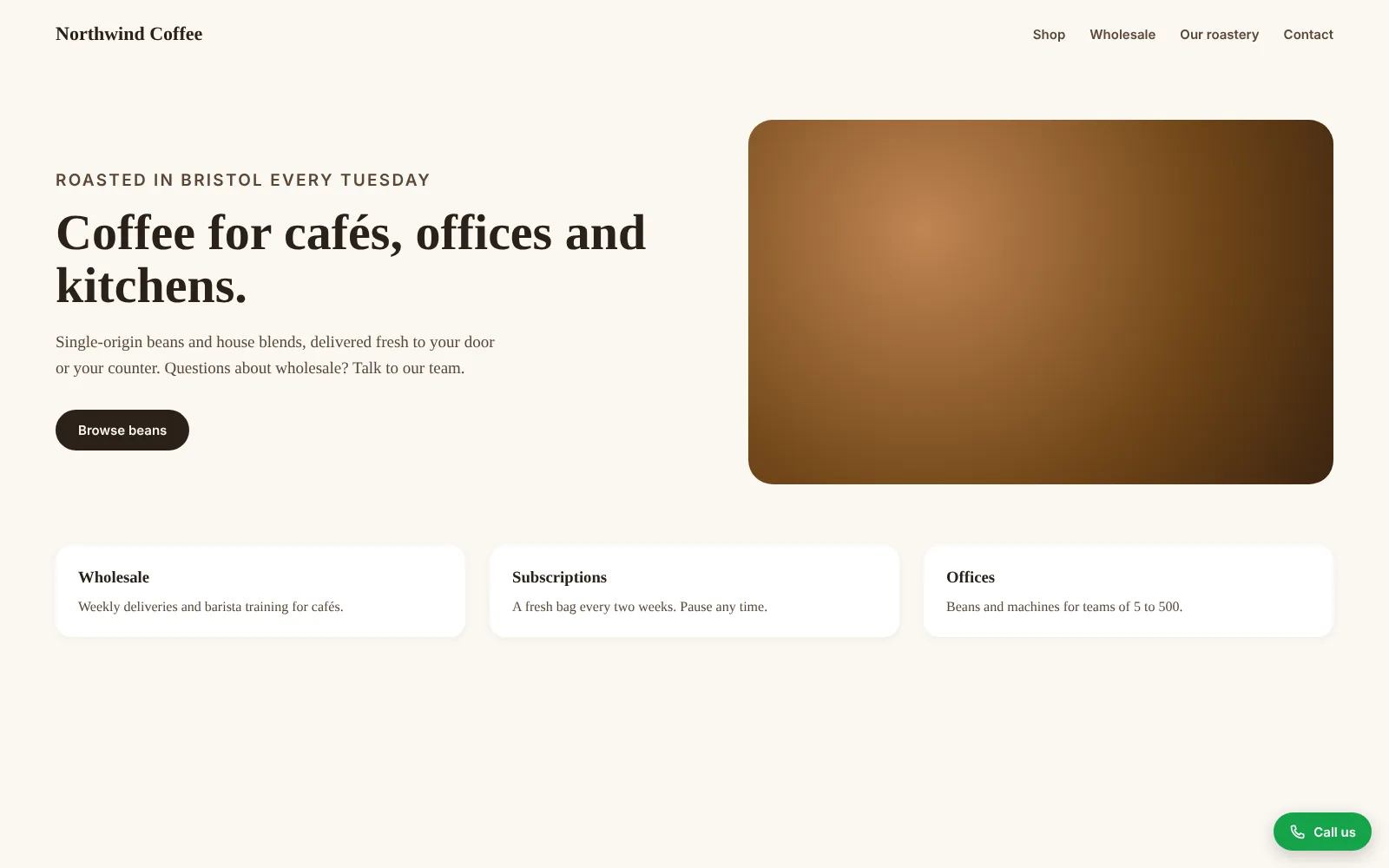
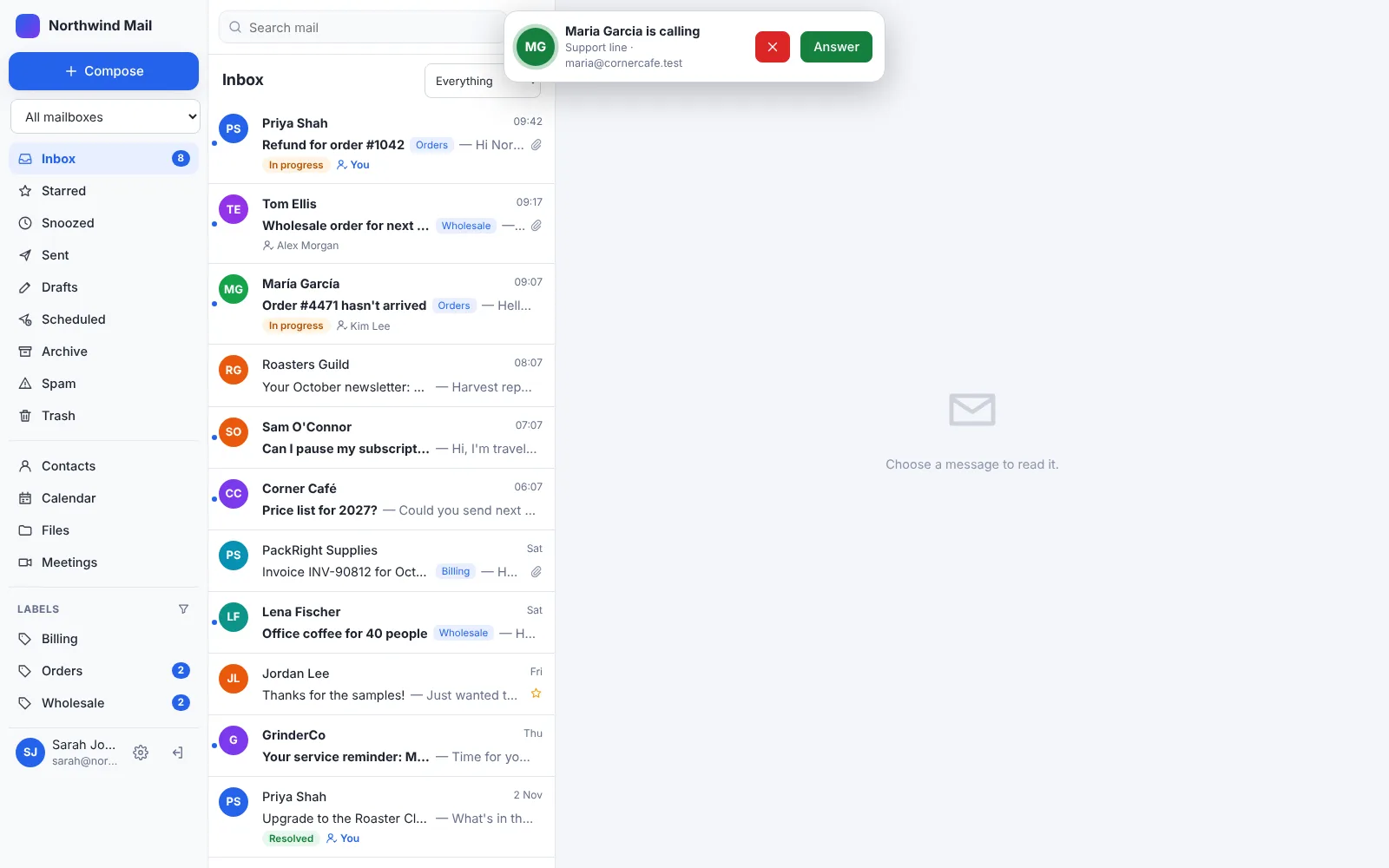
Put one line on your website and visitors can call you from their browser, voice only, with nothing to install. It rings your team in GhostParse Desk, on screen and on their phones. There's no phone system to buy, no per-seat licences, no numbers to rent and no call charges. When nobody can answer, the caller leaves a voice message or asks for a call back, and it lands in your inbox.
The phone system you don't have to pay for.
Taking calls usually means a phone system, a licence for everyone who answers, numbers to rent and a bill for every minute. Website calls skip all of it, because the call goes over the internet between two browsers.
No per-seat licences
Business phone and contact-centre services usually charge for each person who takes calls, every month. Here, anyone on your team can answer, at no extra cost: calls are part of Desk on every plan.
No call charges
No per-minute rates, no numbers to rent and nothing extra for customers calling from abroad. A call is data between two browsers, encrypted end to end, like a video meeting.
Nothing to install
No desk phones, switchboard, phone lines or app for your team to set up. Make a line in Desk, paste one line into your website, and you're taking calls in minutes.
Fewer missed customers
Out of hours, or when everyone's busy, callers leave a voice message or ask for a call back instead of hanging up. It arrives in the shared inbox as an email, with the recording attached, ready to assign.
One place for every conversation
Calls, voice messages and call-backs sit beside the customer's emails, so whoever picks it up next sees the whole story. Reply goes straight to the caller when they gave their address.
Your rules
Each line rings a shared inbox's team, or the people you choose, during the opening hours you set in your own time zone. Outside them, callers see your hours and your message.
What could you save in a year?
Enter what you pay today. The figures below are only examples: use your own bills.
Spent on taking calls each year today
£2,280
With GhostParse website calls
£0 extra
Up to £2,280 a year back
Website calls are included in your GhostParse plan, which is priced by email volume, not per person. If customers also dial your phone number, you'll keep paying for that: this replaces the calls that start on your website.
Taking calls in three steps.
Make a line
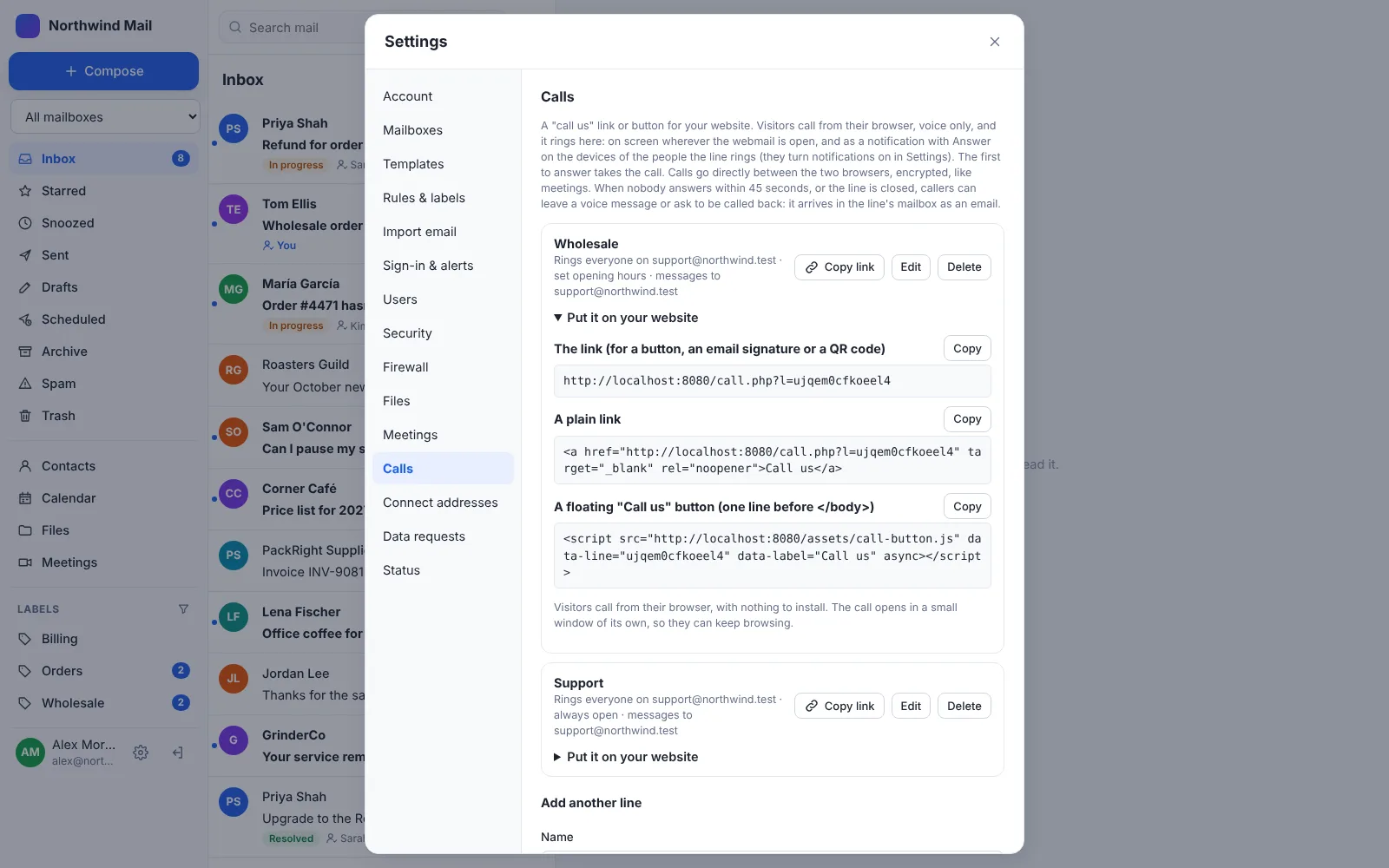
In Desk, Settings → Calls: name it (Support, Sales), choose who it rings and when it's open, and which mailbox gets the voice messages.
Add it to your site
Copy the link for a button you already have, or one line of code for a floating "Call us" button. It works on WordPress, hand-built sites and any website builder that lets you add a link or a snippet of code.
Answer anywhere
Calls ring wherever Desk is open, and as a notification with Answer on your team's phones and computers. The first to answer takes it.
As easy as a phone call. Easier, really.
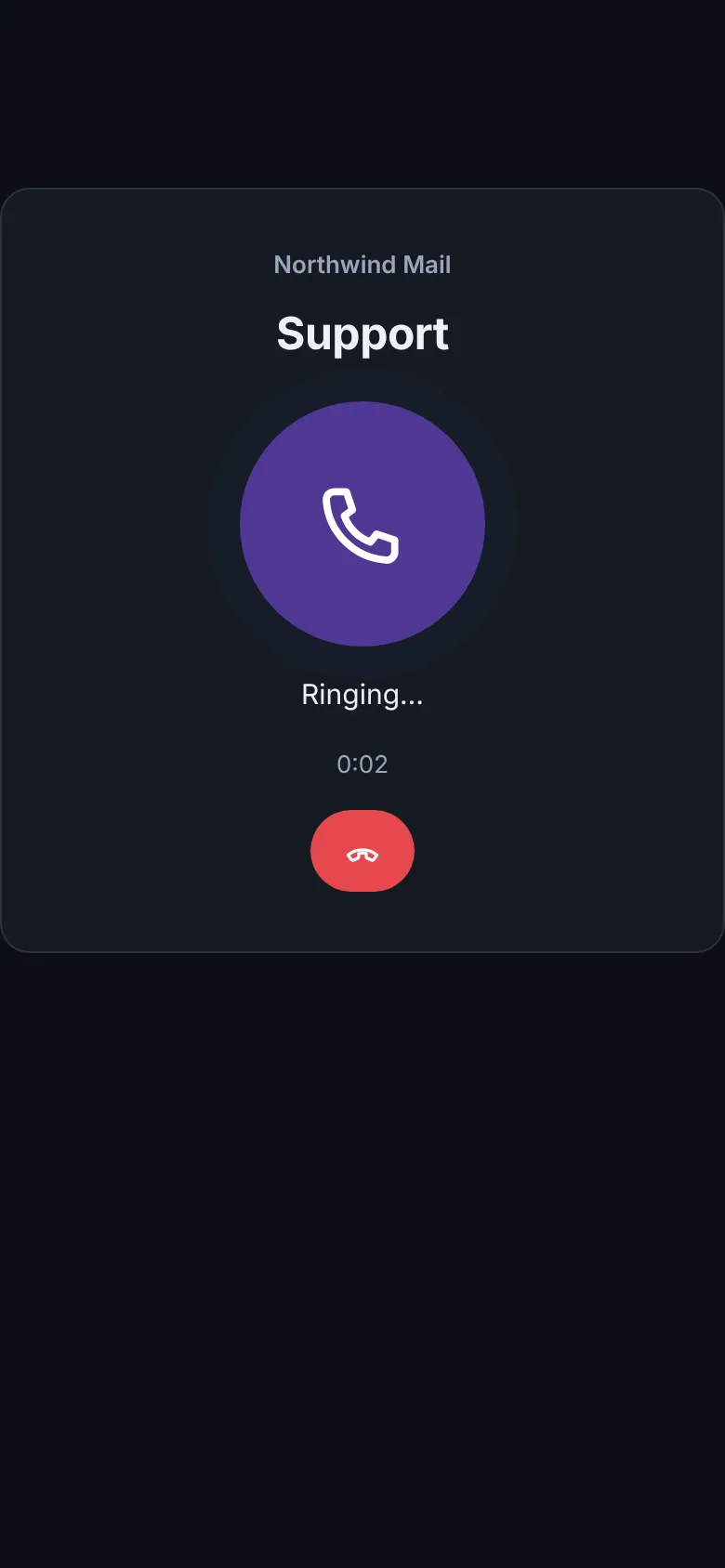
- They tap "Call us", give their name and press Call. No app, no account, no number to type.
- They hear it ringing, and you're talking as soon as someone answers.
- The call opens in a small window, so they can keep browsing your site.
- Nobody free? They leave a voice message or ask you to call them back.
- Nothing is recorded. Sound goes directly between the two browsers, encrypted.

What it isn't.
Website calls replace the calls that start on your website. They don't replace everything a phone system does.
- On its own it isn't a phone number: people call from your website. Want people to dial in too? Add a UK phone number to a line (below).
- On phones, an incoming call shows as a notification with Answer, with the normal notification sound, not the full-screen ring of the phone app. On iPhone, Desk needs adding to the Home Screen for notifications.
- It's voice only and one to one: for video or several people, use a meeting.
- Callers need a microphone and an up-to-date browser.
Before you add it.
Does it cost anything?
No. Website calls are part of GhostParse Desk, on every plan, Free included. Calls, voice messages and call-backs don't count towards your plan's emails, and there are no call charges. Desk itself is a free download for your own hosting. A phone number is the one paid extra: £2 a month + VAT each, for incoming calls only (included, with no per-minute charges).
Can people ring a phone number instead?
Yes. UK organisations (limited companies, sole traders and the self-employed, and charities, registered, exempt or excepted) can add a UK phone number for £2 a month + VAT (£2.40 with VAT at 20%), on any paid plan: Pay as you go has no monthly fee, so that's all you pay. Desk takes incoming calls only for now: you can't make outgoing calls from these numbers yet. Incoming calls to your numbers are included in that price, with no per-minute charges. Each number rings the call line you choose in Settings → Calls, with the same people, hours and voice messages as calls from your website, and the caller's number is matched to your contacts. Outgoing calls are coming. Ask us for one through support.
Do we need a phone number, or phones?
No. Calls go from the visitor's browser to yours over the internet. Your team answers in Desk on a computer, or from the notification on their phone, with any headset or the built-in microphone.
Who does it ring?
You choose for each line: everyone who can read a shared mailbox (support@, sales@), or particular people. Make as many lines as you like, each with its own hours and its own link.
What happens outside opening hours, or when nobody answers?
It rings for 45 seconds. If nobody answers, or the line is closed, the caller can leave a voice message of up to 3 minutes or ask you to call them back. Either one arrives in the line's mailbox as an email. Missed and answered calls are noted there too.
Are calls recorded? Where does the sound go?
Calls aren't recorded. Sound goes directly between the caller's browser and yours, encrypted. When two networks can't connect directly, our relay carries the encrypted sound without being able to hear it, and keeps nothing. Voice messages are stored in your own mailbox, encrypted with your key.
Can people abuse it? Could a script start calls?
A call only rings once the caller's own call page checks in, so a request sent straight to the server rings nobody and leaves nothing in your inbox. Callers' browsers also solve a short puzzle before calling (about half a second, which people don't notice) that makes starting calls in bulk slow and costly. You set how many calls a line takes in an hour: beyond that, callers are offered a voice message or call-back instead. You can also limit a line to your own websites. On top of that, each caller can only start a few calls in a short time, and Desk's built-in firewall watches the call page. You can switch a line off at any time.
Let customers call you, for nothing.
Also in Desk: a private alternative to Google Workspace and Microsoft 365, with email, files, documents and video meetings.