Your team's email and documents, on your server, under your key.
Google Workspace and Microsoft 365 keep your company's email, files and calls in their data centres, under keys they hold. GhostParse gives your team the same everyday tools (email, shared inboxes, calendar, files, documents, spreadsheets, slides and video meetings) in a webmail that runs on your own hosting, with everything encrypted under a key only you have.
- EmailYour domain, every device
- Shared inboxesAssign, note, reply together
- CalendarPersonal and team calendars
- FilesShared folders and a private vault
- MeetingsVideo calls with customers
- Website callsA "Call us" button, no phone bill
- Documents and slidesWord and PowerPoint, edited together
- SpreadsheetsExcel files with formulas
- SecurityEncrypted, passkeys, firewall
- Phone appInstall it, with notifications
A shared inbox your team actually likes
- support@ and sales@ for the whole team: assign conversations, mark them done, and leave notes that @mention a colleague
- Each customer's past conversations and order details beside their email
- Templates, undo send, send later, snooze, labels and rules
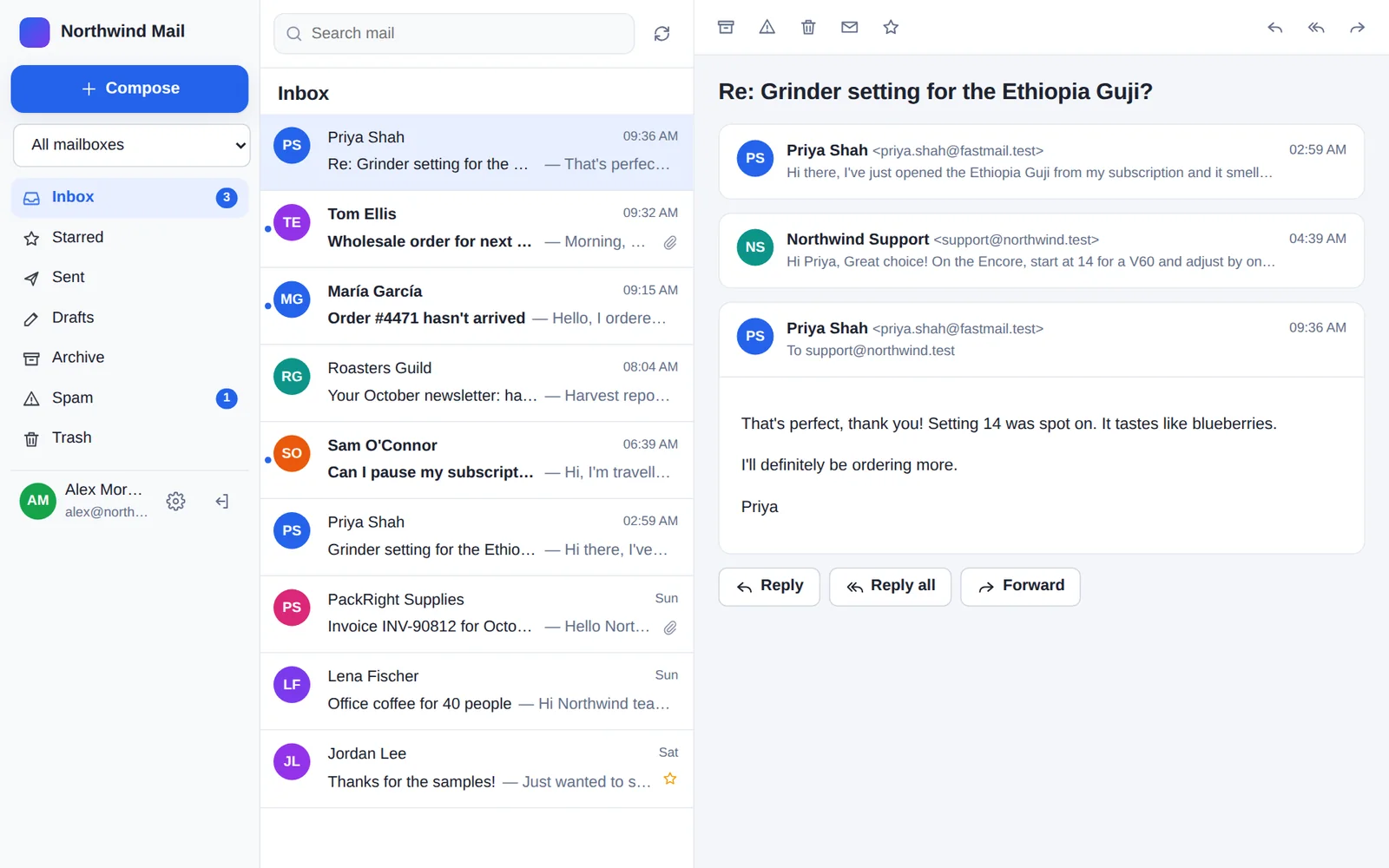
Word documents, written together, live
- Everyone's typing appears within a second, with each person's cursor and name
- Track changes, footnotes, headings, lists, tables, pictures, headers and footers, and comments
- Saved as real .docx, so they still open in Word, LibreOffice and Google Docs
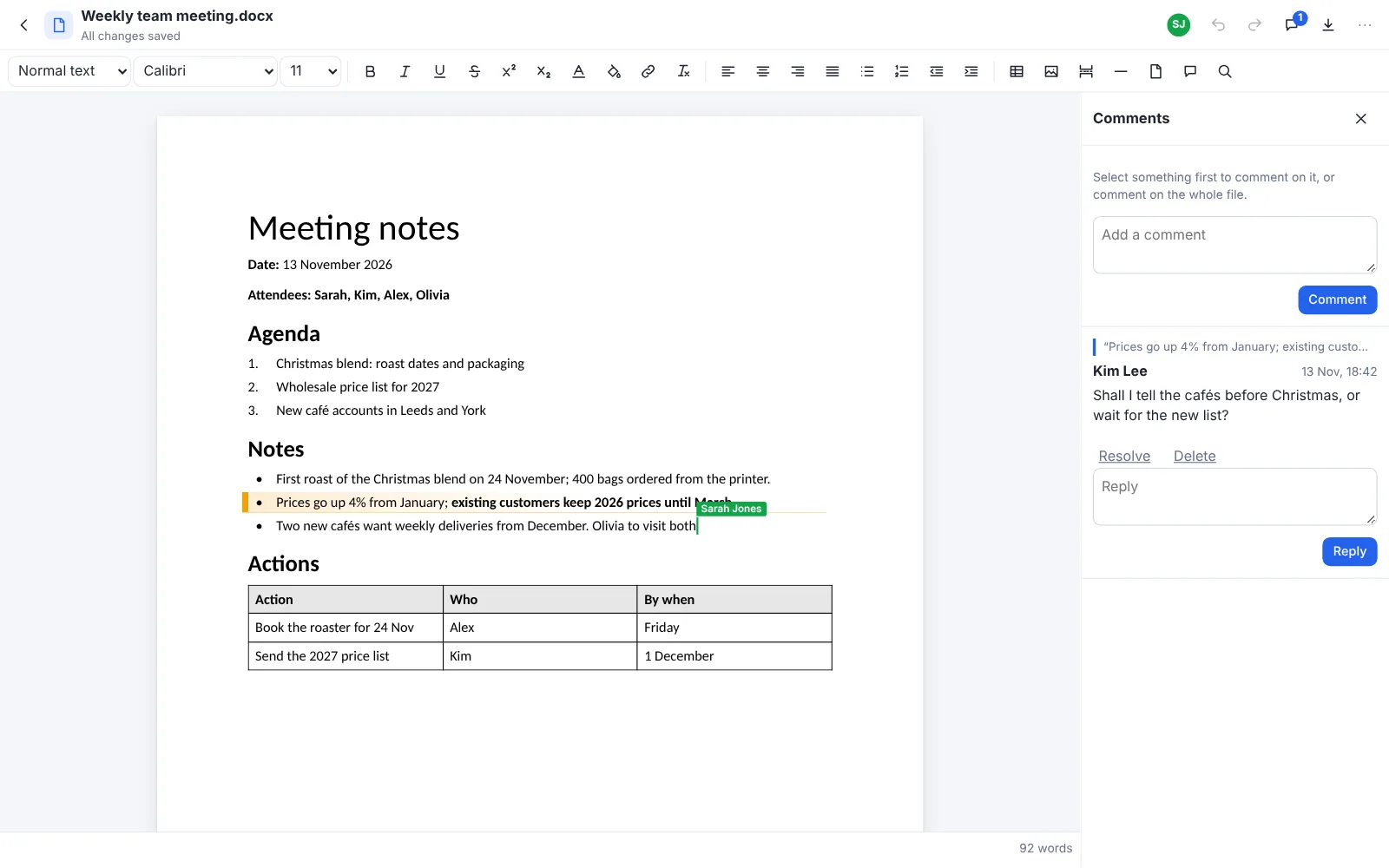
Spreadsheets with the formulas you know
- About 160 Excel functions, from SUM and IF to XLOOKUP and SUMIFS, worked out as you type
- Charts, pivot tables and conditional formatting, plus sorting, filters and the fill handle
- Opens and saves .xlsx and CSV; copy and paste with Excel and Google Sheets
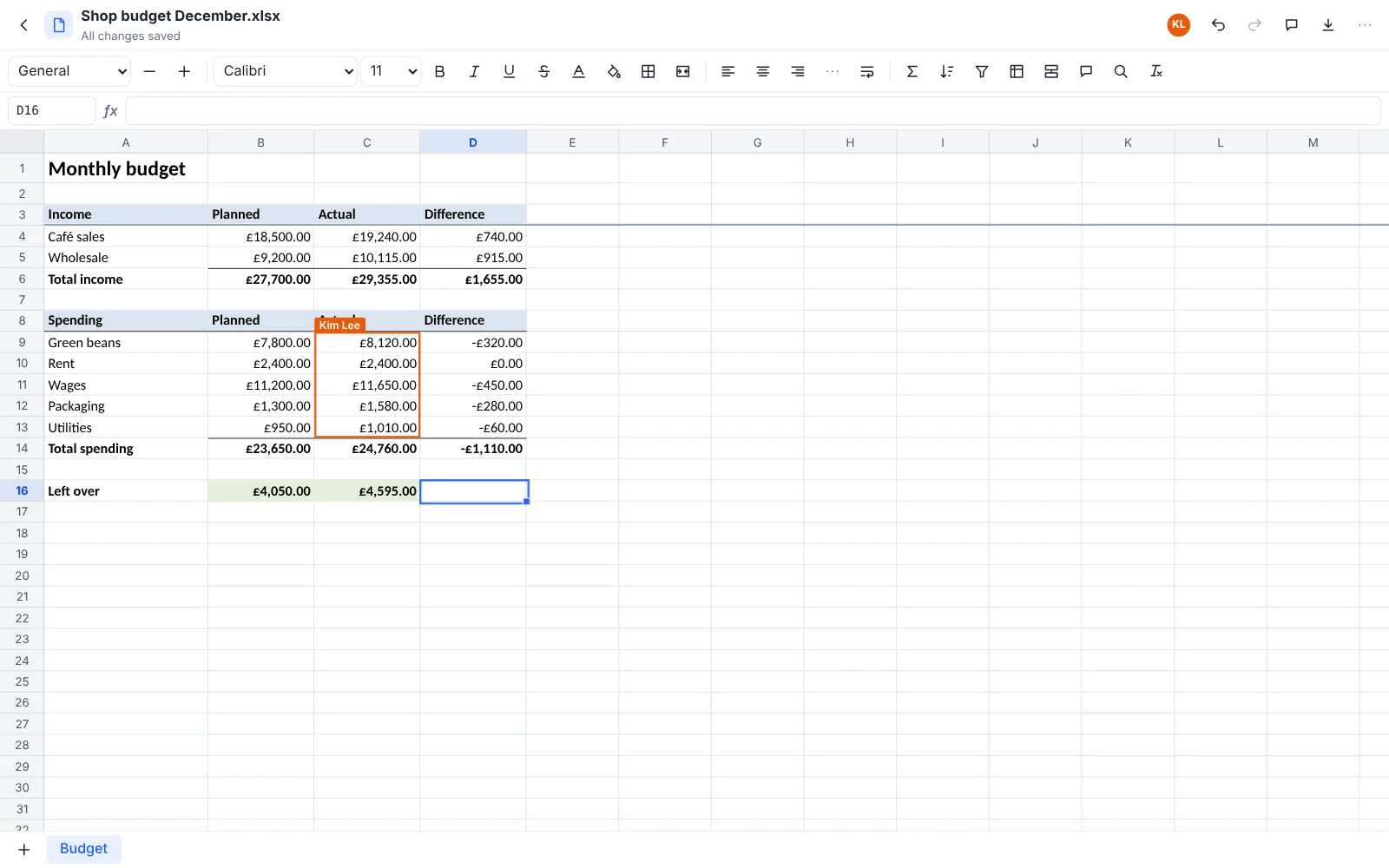
Files, like OneDrive, on your own storage
- Folders shared with a colleague or a whole mailbox's team, and links with a password and an expiry
- Every file encrypted under its own key, on your server or any S3-compatible bucket
- A private vault encrypted in your browser: nobody else can open it, not even your administrator
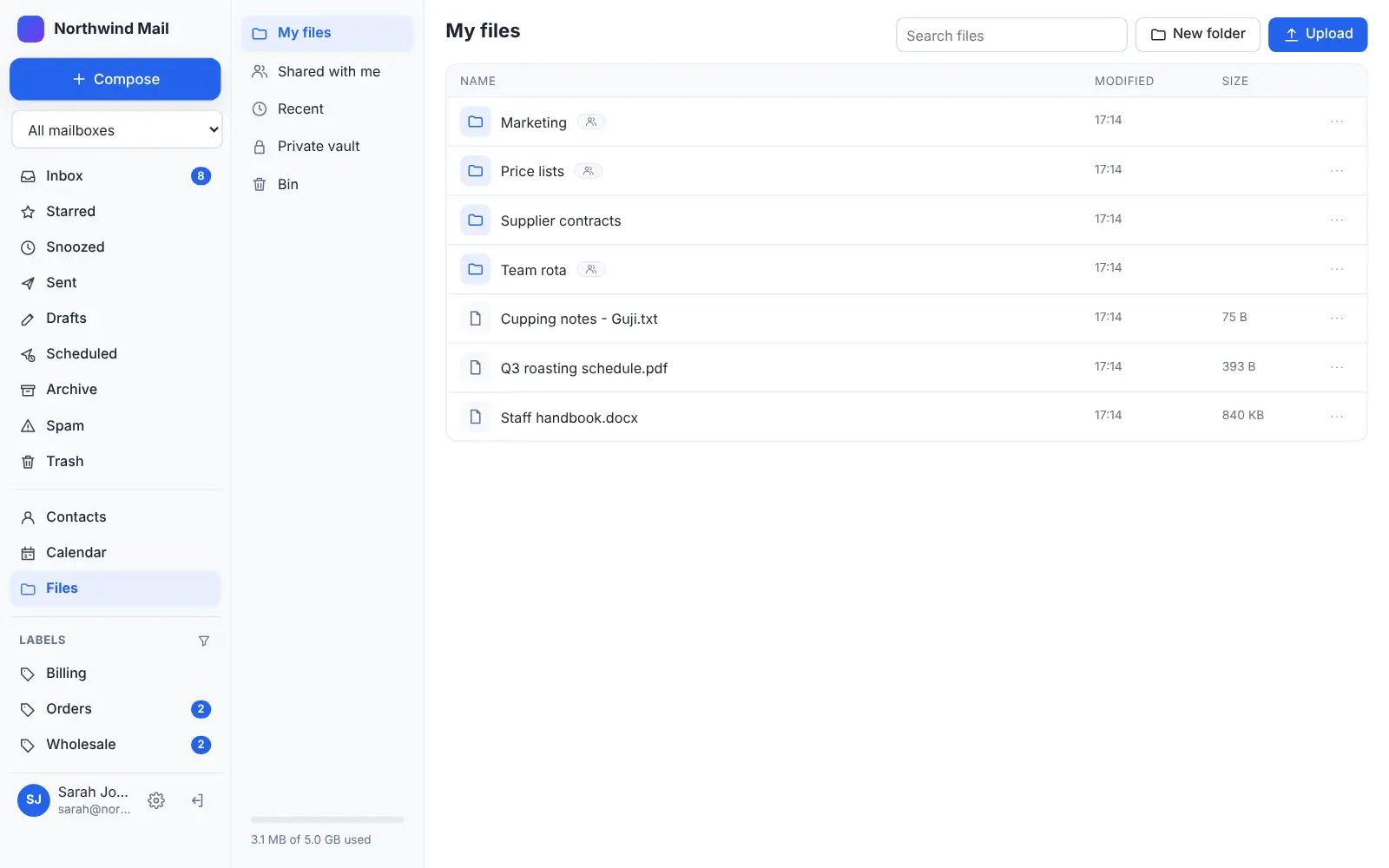
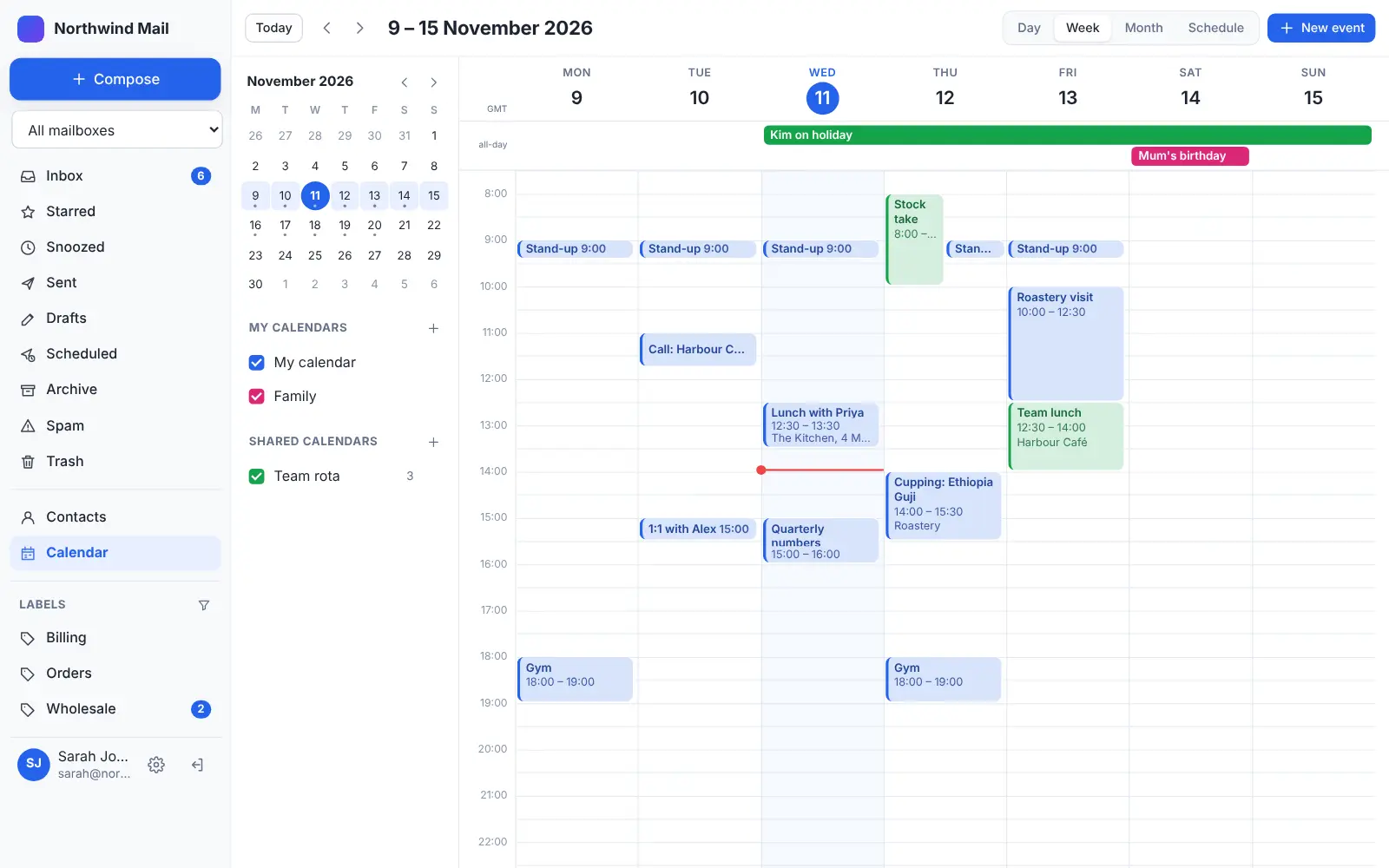
A calendar for you and the team
- Day, week, month and schedule views; drag to create and move events
- Shared calendars for holidays, rotas and meeting rooms, with reminders as notifications
- Invitations by email in one click, and every calendar in Apple, Google or Outlook too
Secure without anyone having to think about it
- Email, files and contacts encrypted in your own database; a copy is unreadable without your key
- Two-step verification for everyone, or passkeys only; office-only access if you want it
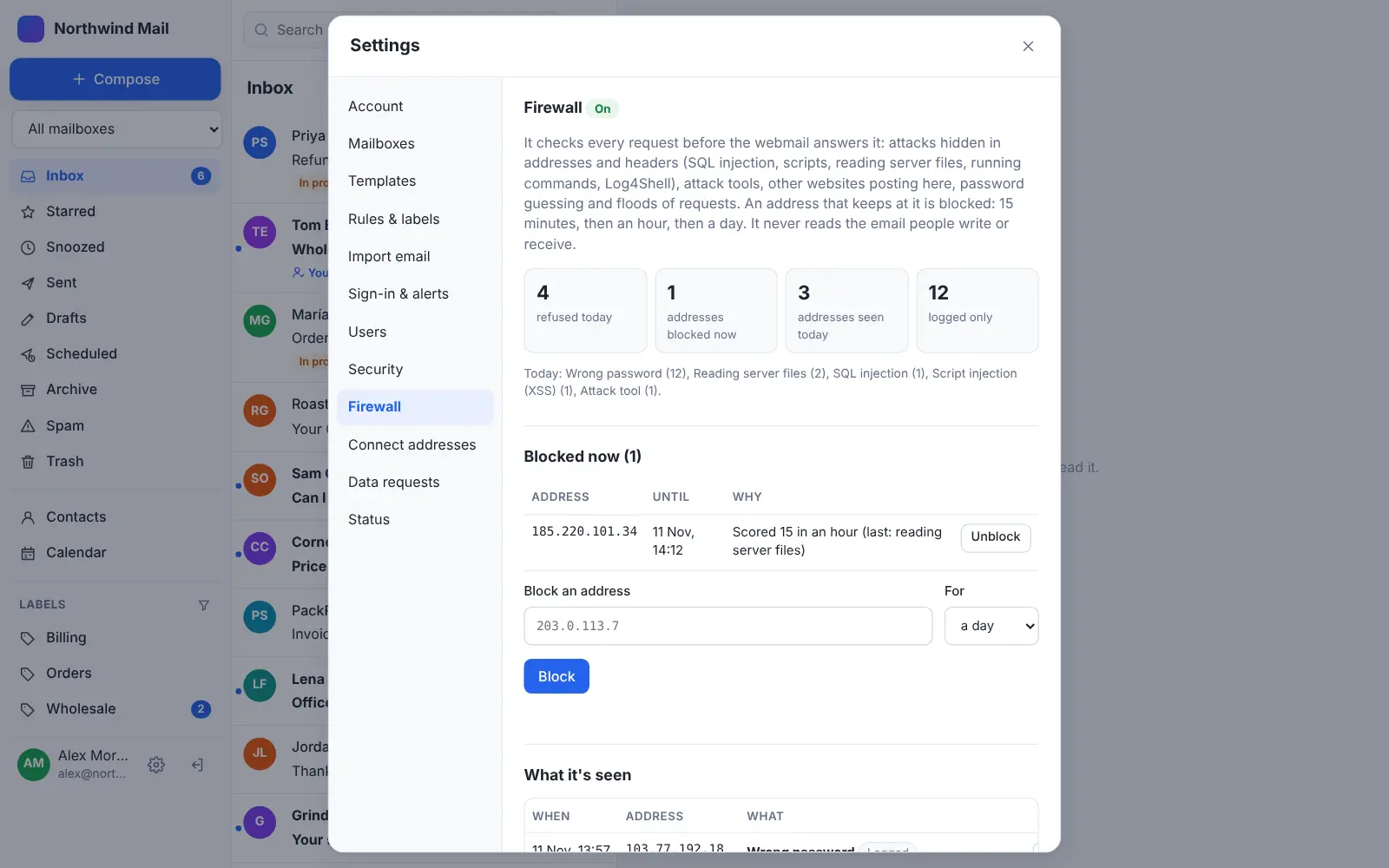
- A built-in firewall that blocks attacks and password guessing, even on hosting without one
Private by design, not by settings.
Your server, your key
Email, attachments, contacts, calendars and files are stored on your own hosting (or your own S3-compatible bucket), encrypted with XChaCha20-Poly1305 under a key in your own config file. A copy of the database is unreadable without it, to us or anyone else.
We don't keep your email
GhostParse receives and sends your mail and hands it straight to your Desk. Messages are checked in memory and never written to our disks; only delivery metadata stays, for 90 days at most. How we handle data.
Meetings encrypted end to end
Every video meeting is encrypted end to end, on every plan, with nothing to switch on. Up to 6 people, sound and video go directly between the browsers; when a 7th joins, the whole meeting moves to our media server for the rest of it, which forwards frames it can't read.
Calls from your website
A "Call us" button on your site rings your team in Desk. Voice calls go browser to browser, encrypted, and voice messages land in your inbox. No phone system, no per-seat telephony licences. How it works.
A vault only you can open
Each person has a private vault in Files, encrypted in their own browser with a passkey or passphrase. Not the administrator, not your host, not us: nobody else can open it.
No ads, no profiling, no AI training
Your mail isn't scanned to profile you or train AI models. AI features are opt-in, per account and per address, and spam and virus checks run on our own servers, not a third party's.
Locked down for companies
Two-step sign-in for everyone with no way to switch it off, passkey-only sign-in if you want it, access only from your office or VPN, every signed-in device listed and revocable, and a built-in firewall.
A United Kingdom company, with servers in the United Kingdom
GhostParse is run by WILDYE LIMITED, based in the United Kingdom, and your email passes through our servers in the United Kingdom on its way to you. Your stored mail and files are wherever your own hosting is, which you choose. A Data Processing Agreement comes with our Terms, with no forms to sign. Read the DPA.
How it compares.
From Google's and Microsoft's public pages, November 2026. Their editions and features change: check their sites for the latest.
| GhostParse | Google Workspace | Microsoft 365 | |
|---|---|---|---|
| Where your email and files are stored | Your own hosting or bucket | Google's data centres | Microsoft's data centres |
| Who holds the encryption keys | You (a key in your own config file) | Google, unless you add client-side encryption on higher editions | Microsoft, unless you add customer-held keys on higher editions |
| Run by | WILDYE LIMITED (United Kingdom) | Google (United States) | Microsoft (United States) |
| How it's priced | By email volume: no per-person licences, Free to start | Per person, per month | Per person, per month |
| End-to-end encrypted meetings | Every meeting, every plan | On certain editions, when switched on | On certain call types and editions, when switched on |
| A private vault only you can open | ✓ Every person | — | — |
| Shared inboxes with assignment and notes | ✓ | Through groups and add-ons | Shared mailboxes |
| Word, Excel and PowerPoint files | Edited together in the browser, saved as .docx, .xlsx, .pptx | Converted to, or edited as, Google's formats | ✓ Native |
| Largest meeting | 25 people | Larger, depending on edition | Larger, depending on edition |
| Desktop and phone apps | Installable web app (iPhone, Android, Mac, Windows) | ✓ Native apps | ✓ Native apps |
| Read mail in Outlook or Apple Mail (IMAP) | Not yet: mail is read in Desk | ✓ | ✓ |
When to stay where you are.
GhostParse suits small and mid-sized teams who want their data on their own terms. Google Workspace or Microsoft 365 may still be the better fit if you:
- Hold meetings of more than 25 people, or webinars
- Need Outlook, Apple Mail or another desktop mail app to sync with your mailbox
- Rely on Excel macros, Access, or other desktop-only Office features
- Need specific certifications or eDiscovery tooling from your provider
Install Desk
Create a free account, then install Desk on your hosting: one click in cPanel, or one command over SSH. Add your people and shared inboxes.
Copy your email across
In Settings → Import email, sign in with Google or Microsoft, pick the folders, and everything is copied in with its read and starred marks. Bring contacts as .vcf or .csv, and files by uploading them to Files.
Point your domain
Change your domain's MX record to GhostParse (the dashboard shows the records, and adds them for you on Cloudflare). A day later, choose Check for new mail to catch anything that arrived in between, then cancel the old licences.
Before you switch.
Do I need my own server?
You need ordinary PHP and MySQL hosting, the kind most websites already run on: cPanel shared hosting, a VPS, or a server run with RunCloud, Ploi, Forge or similar. Desk installs there, so that's where your mail and files are kept. GhostParse handles receiving and sending, so there's no mail server to look after.
Can GhostParse read our email?
Your email passes through our servers on its way to and from your Desk, where it's checked for spam and viruses in memory and then delivered. We don't keep a copy. What's stored is on your hosting, encrypted with your key, which we never see. Meetings and private vaults are encrypted end to end, so they can't be read in transit either.
What does it cost compared with per-person licences?
Desk is a free download, and Files, documents, spreadsheets and meetings of up to 6 people are included on every plan, Free too. Plans are priced by how much email you send and receive, not by how many people you have. See pricing.
Will our Word and Excel files still work?
Yes. Documents, spreadsheets and presentations are edited in the browser and saved as ordinary .docx, .xlsx and .pptx files, so they still open in Word, Excel, PowerPoint, LibreOffice and Google Docs. Formulas, charts, pivot tables, tracked changes and comments come across; macros are pointed out when a file opens, and aren't run.
Can we keep Google Workspace or Microsoft 365 while we try it?
Yes. Import a copy of your mail into Desk (nothing on the old account is changed) and try it with a test domain or a subdomain first. Your existing email carries on as it is until you change the MX record.
What if we lose the key?
The stored email can't be decrypted without the key in Desk's config file, by you or anyone else. Keep a backup of it somewhere safe, such as a password manager. That's the price of a key nobody else holds.